Best Gaming Accessories in India 2026 – The Ultimate Buying Guide
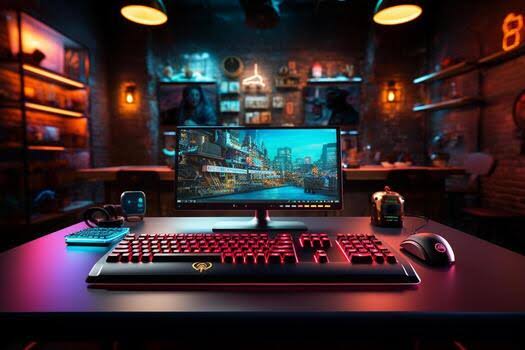
India’s gaming scene has exploded over the last few years — from BGMI and Valorant tournaments filling stadiums to a booming PC and console gaming culture in cities like Bengaluru, Delhi, and Mumbai. But a powerful PC or console alone doesn’t win matches. The right gaming accessories are what actually decide how well you play, how comfortable you are during a 3-hour ranked grind, and how clearly your squad hears your callouts.
After testing dozens of peripherals across FPS, MOBA, and mobile-to-PC emulator setups, one thing is consistent: most Indian gamers upgrade their GPU long before upgrading the gear they touch every single second of a match — which is backwards, especially when solid budget options are now easily available on Amazon India, Flipkart, and local retailers like MD Computers and Prime ABGB.
This guide covers the 10 essential gaming accessories worth buying in India in 2026, what specs actually matter (versus marketing fluff), realistic price ranges in ₹, and answers to the questions we hear most from readers building their first — or fifth — setup.
Why Gaming Accessories Matter More Than Ever for Indian Gamers
Competitive titles like Valorant, BGMI, and CS2 are decided in milliseconds. A keyboard with slow actuation, a mouse sensor that jitters at high DPI, or a headset that muddies footstep audio can cost you the round before your GPU ever becomes the bottleneck. With India’s esports scene growing rapidly and tournament prize pools rising, even casual competitive players are investing more seriously in their peripherals.
For streamers and long-session gamers — a growing category in India thanks to platforms like Loco and YouTube Gaming — comfort accessories like chairs and monitors directly affect how long you can play at your best without fatigue.
In short: your peripherals are your interface with the game. Everything else is just horsepower behind them.
The 10 Essential Gaming Accessories You Need
1. Gaming Keyboard – Features, Best Uses & Buying Tips
A mechanical gaming keyboard is the most-used accessory in your setup, and switch type matters more than RGB or looks.
Key Features to Compare:
- Mechanical switches (linear, tactile, or clicky — explained below)
- Anti-ghosting and full N-key rollover for simultaneous keypresses
- Programmable macro keys
- Sub-1ms response time on newer models
- Durable aluminum or reinforced plastic frame
- Per-key RGB lighting (cosmetic, but popular for stream setups)
Switch Types Explained:
- Linear (Red switches) — smooth, no bump, favored in fast-paced FPS games like Valorant
- Tactile (Brown switches) — subtle bump on actuation, a strong all-rounder
- Clicky (Blue switches) — audible click, satisfying but louder for shared hostel/family rooms
Best For: BGMI · Valorant · CS2 · MMORPG · Strategy games Typical Price Range in India: ₹1,500 (budget membrane) – ₹15,000+ (premium hot-swappable mechanical) Popular brands available in India: Redgear, Ant Esports, Logitech, Razer, HyperX
2. Gaming Mouse – DPI, Sensors & Ergonomics Explained
A high-performance gaming mouse directly affects your accuracy and reaction time — arguably the most impactful upgrade for competitive shooters.
Key Features to Compare:
- Adjustable DPI (400–1600 DPI suits most FPS players; higher DPI benefits MMO/strategy titles with large maps)
- Polling rate — 1000Hz is now standard; some premium models offer 4000Hz+
- Lightweight design (many competitive mice weigh under 70g)
- Programmable side buttons for macros
- Ergonomic shape matched to your grip style (palm, claw, or fingertip)
Benefits:
- More accurate aim and tracking
- Faster reaction time via lower input latency
- Reduced hand fatigue during long sessions
- Custom per-game profiles via companion software
Best For: Competitive FPS · BGMI on emulator · MMO · Everyday productivity Typical Price Range in India: ₹700 (budget wired) – ₹10,000+ (premium wireless esports-grade) Popular brands available in India: Redgear, Zebronics, Logitech, Razer
3. Gaming Headset – Sound Quality & Mic Clarity
Clear communication wins matches — a good gaming headset is essential for squad-based multiplayer titles.
Key Features to Compare:
- Virtual surround sound for directional audio (footsteps, gunshots)
- Noise-cancelling microphone for clear team callouts — useful in noisy Indian households/hostels
- Deep, accurate bass without muddying mid-range detail
- Memory-foam ear cushions for multi-hour comfort, especially important in humid Indian climates
- Wireless connectivity with low-latency 2.4GHz dongles (Bluetooth alone adds noticeable lag for gaming)
- 20+ hour battery life on a single charge
Perfect For: BGMI · Valorant · Free Fire (PC) · Streaming Typical Price Range in India: ₹900 (budget wired) – ₹12,000+ (premium wireless with active noise cancellation) Popular brands available in India: boAt, Redgear, HyperX, SteelSeries
4. Gaming Monitor – Refresh Rate & Response Time
Your gaming monitor affects how smoothly you see the action — often more impactful on competitive play than your GPU alone.
Recommended Specifications:
- 144Hz minimum; 240Hz+ for competitive esports titles
- 1ms response time (GtG) to minimize motion blur and ghosting
- Full HD (1080p) for maximum frame rates, or 4K for visual fidelity in single-player titles
- HDR support for richer contrast
- Adaptive Sync (G-Sync or FreeSync) to eliminate screen tearing
Buying Tip: In India, 144Hz 1080p monitors have become very affordable and offer the best value-for-performance for competitive gamers. Save 4K/HDR panels for story-driven or open-world titles. Typical Price Range in India: ₹9,000 (144Hz 1080p) – ₹40,000+ (240Hz+ or 4K panels)
5. Gaming Chair – Comfort for Long Sessions
Comfort compounds over time — what feels fine for an hour can wreck your back after four, especially during long BGMI or Valorant grinding sessions.
Key Features to Compare:
- Adjustable armrests (4D preferred) for proper elbow alignment
- Built-in lumbar support, not just a strap-on pillow
- Reclining backrest (up to 135°–180°)
- Breathable fabric (recommended over PU leather in humid Indian cities to avoid sweating)
- Reinforced steel frame rated for your weight and height
Buying Tip: If possible, test recline and lumbar support at a local computer store before buying online — comfort varies a lot by body type, and returns on large furniture items can be a hassle with Indian courier services. Typical Price Range in India: ₹6,000 (entry-level) – ₹25,000+ (premium ergonomic)
6. Gaming Controller – Wireless & Vibration Feedback
Controllers remain the preferred input for racing, sports, and action-adventure titles, and are increasingly popular for cloud gaming on mobile in India.
Key Features to Compare:
- Low-latency wireless connectivity (dedicated dongle over Bluetooth where possible)
- Haptic/vibration feedback for immersion
- 20+ hour battery life
- Ergonomic grip for extended sessions
- Responsive, adjustable-tension analog triggers
Best For: Racing games · Sports titles · Cloud gaming apps · Couch co-op Typical Price Range in India: ₹1,200 (third-party) – ₹6,000+ (official Xbox/PlayStation controllers)
7. Gaming Mouse Pad – Surface & Grip
An overlooked accessory that meaningfully affects your mouse’s tracking accuracy.
Key Features to Compare:
- Large surface area (extended pads cover both mouse and keyboard)
- Anti-slip rubber base
- Water-resistant coating — useful protection against monsoon-season humidity
- Consistent glide — cloth pads offer more control, hard pads offer more speed
Buying Tip: Match your pad’s surface texture to your mouse’s DPI and personal sensitivity preference. Typical Price Range in India: ₹300 (basic) – ₹2,500+ (extended RGB)
8. Gaming Webcam – For Streamers & Creators
Essential gear for India’s growing streaming community on YouTube Gaming, Loco, and Rooter.
Key Features to Compare:
- 1080p60 or 4K video capture
- Fast, reliable autofocus
- Built-in stereo microphone (a separate mic is recommended for serious streaming)
- Low-light correction — helpful for evening streaming sessions
- Plug-and-play USB with OBS/Streamlabs compatibility
Best For: Streamers · Content creators · Video calls Typical Price Range in India: ₹1,500 (1080p) – ₹8,000+ (4K with autofocus)
9. RGB Gaming Accessories – Building an Immersive Setup
RGB lighting is purely cosmetic, but it’s one of the most personalized parts of a modern setup — and a popular showcase feature in Indian gaming cafés and LAN events.
Popular RGB Additions:
- Keyboard and mouse per-key lighting
- RGB mouse pads
- Headset stands with ambient lighting
- LED light bars and PC case fans
- Monitor bias-lighting for reduced eye strain in dark rooms
Buying Tip: Standardize on one RGB ecosystem so lighting stays synced across devices instead of running independently. Typical Price Range in India: ₹500 (single fan/strip) – ₹5,000+ (full ecosystem kit)
10. External SSD – Faster Load Times
Modern AAA titles routinely exceed 100GB, and with many Indian broadband connections still capped or throttled after a data limit, faster local storage and fewer re-downloads matter even more.
Benefits:
- Faster game installs and load screens
- Reduced texture pop-in and stutter in open-world titles
- Quick file transfers for streamers moving footage off a rig
- Portable enough to bring your library between PC and console
- More reliable long-term than spinning HDDs
Buying Tip: For PS5/Xbox Series X, confirm the SSD meets the minimum read-speed requirement for expanded storage before buying. Typical Price Range in India: ₹4,500 (500GB) – ₹15,000+ (2TB NVMe external)
How to Choose the Right Gaming Accessories for Your Budget
Not everyone needs every item on day one. A practical way to prioritize, especially on an Indian student or early-career budget:
- Start with mouse, keyboard, and headset — these affect every match you play, regardless of genre. A solid trio can be assembled for under ₹5,000.
- Add a chair next if you play more than 2–3 hours per session — comfort issues compound faster than expected, and long sessions on a regular office chair take a real toll.
- Upgrade your monitor once your reflexes are being held back by refresh rate, not skill — a 144Hz panel is now very affordable in India.
- Add webcam, RGB, and storage last — these enhance the experience but don’t change core performance.
Where to buy: Amazon India and Flipkart offer frequent sales (Great Indian Festival, Big Billion Days) where gaming accessories see significant discounts — worth timing bigger purchases like monitors and chairs around these events.
Frequently Asked Questions (FAQ)
Q: What are the most essential gaming accessories for beginners in India? A gaming mouse, mechanical keyboard, and headset cover the core needs for any new gamer. A solid budget trio from brands like Redgear or Zebronics can be assembled for under ₹5,000.
Q: Do gaming accessories actually improve performance? Yes. Faster sensors, lower input latency, and better ergonomics measurably improve reaction time and comfort during long sessions, especially in competitive titles like Valorant and BGMI where milliseconds matter.
Q: What DPI is best for a gaming mouse? Most competitive FPS players use 400–1600 DPI for precise aim. Higher DPI suits MMO or strategy games where the cursor needs to travel quickly across large maps.
Q: Is a wireless gaming mouse good enough for competitive play? Yes. Modern wireless mice with 1000Hz+ polling rates now match wired performance, making them fully viable even at the esports level, and several budget-friendly Indian brands now offer this.
Q: How much should I budget for a full gaming accessories setup in India? A solid entry-level setup — mouse, keyboard, headset, and mouse pad — can be built for roughly ₹4,000–₹7,000. Premium mechanical and wireless setups can cross ₹25,000 or more.
Q: Should I prioritize a gaming monitor or a gaming chair first? If your sessions run under two hours, prioritize the monitor for immediate performance gains. If you regularly play for three-plus hours, a proper chair prevents discomfort and long-term posture issues that even the best monitor can’t fix.
Q: Are imported gaming accessories worth buying over Indian/local brands? Not always. Brands like Redgear, Zebronics, and boAt now offer performance that’s very competitive with imported options at a fraction of the price, and come with easier local warranty support.